
Introduction
In the rapidly evolving landscape of artificial intelligence, building applications powered by large language models (LLMs) requires robust tools and streamlined workflows. LangChain emerges as a comprehensive framework to simplify this process, enabling developers to create, deploy, and manage intelligent applications with ease.
This blog delves into LangChain’s ecosystem, featuring tools like LangGraph for workflow design, LangSmith for debugging and monitoring, and the LangGraph Platform for end-to-end application lifecycle management. Together, these tools provide a modular and scalable approach to building context-aware, reasoning-driven solutions, making it easier to connect LLMs with private data, external APIs, and real-world use cases.
Join me as I explore how LangChain and its suite of products can transform your LLM-powered applications into seamless, efficient, and high-impact solutions.
LangChain Products
LangChain
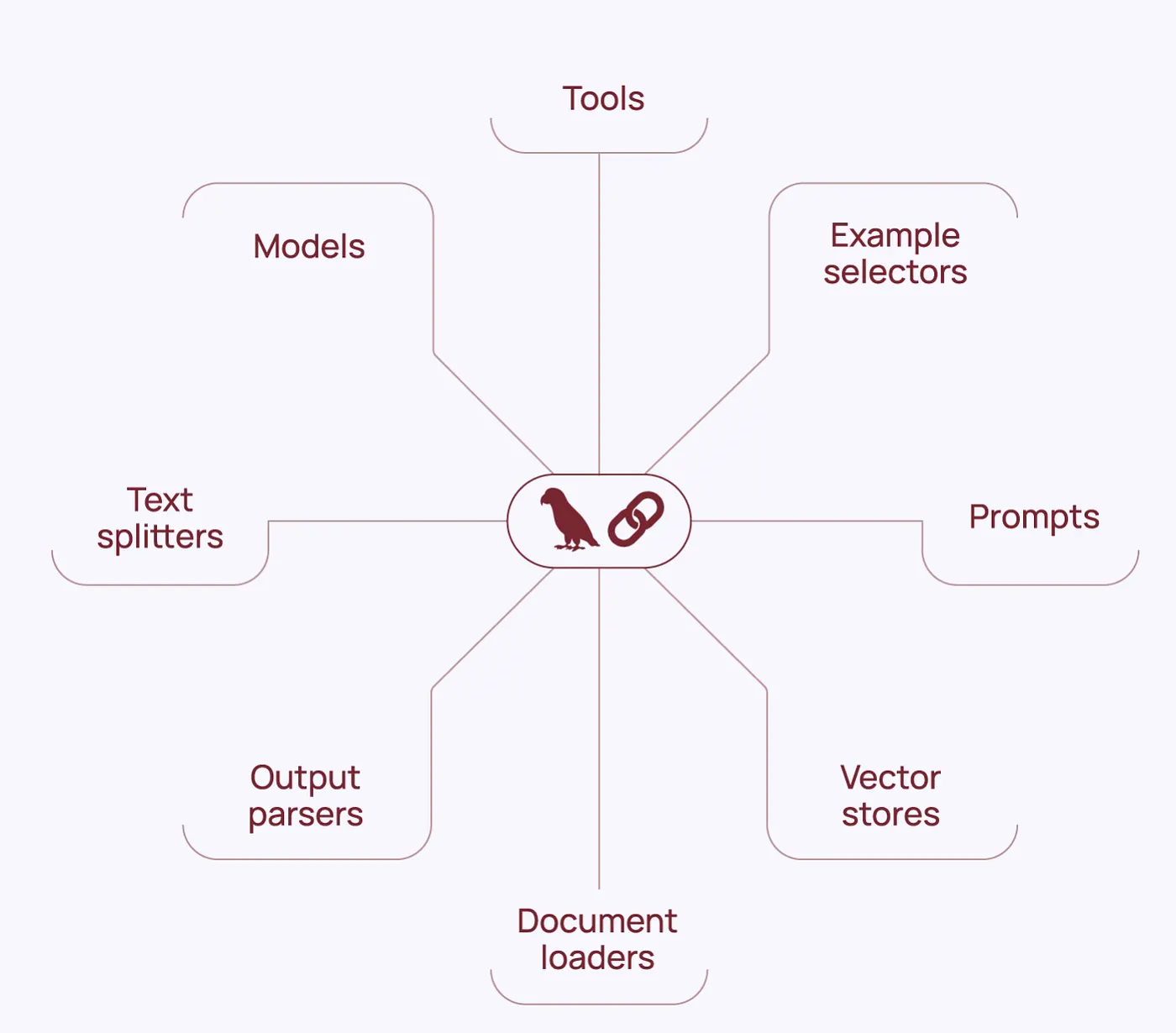
LangChain is a powerful framework designed to simplify the development of applications powered by large language models (LLMs). It provides a wide range of tools for connecting LLMs to external data sources, enabling developers to build modular workflows and advanced AI-driven solutions. LangChain supports frameworks for both Python and JavaScript, making it accessible to a diverse set of developers.
Key Features:
- Open Source: Licensed under MIT, LangChain is free to use.
- Extensive Component Library: Build end-to-end applications with a rich library of reusable components.
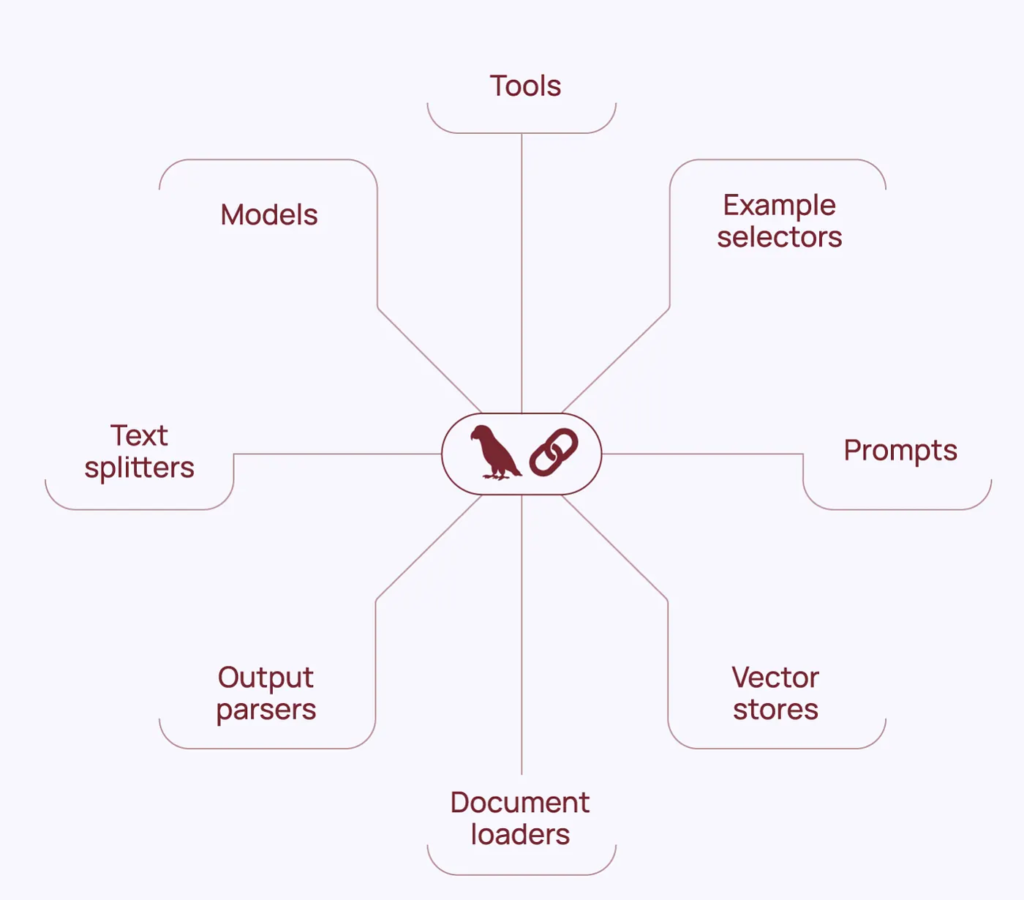
- Third-Party Integrations: Access over 600+ integrations for seamless connectivity.
- RAG Applications: Rapidly build retrieval-augmented generation (RAG) solutions to integrate private company data and APIs into context-aware and reasoning applications.
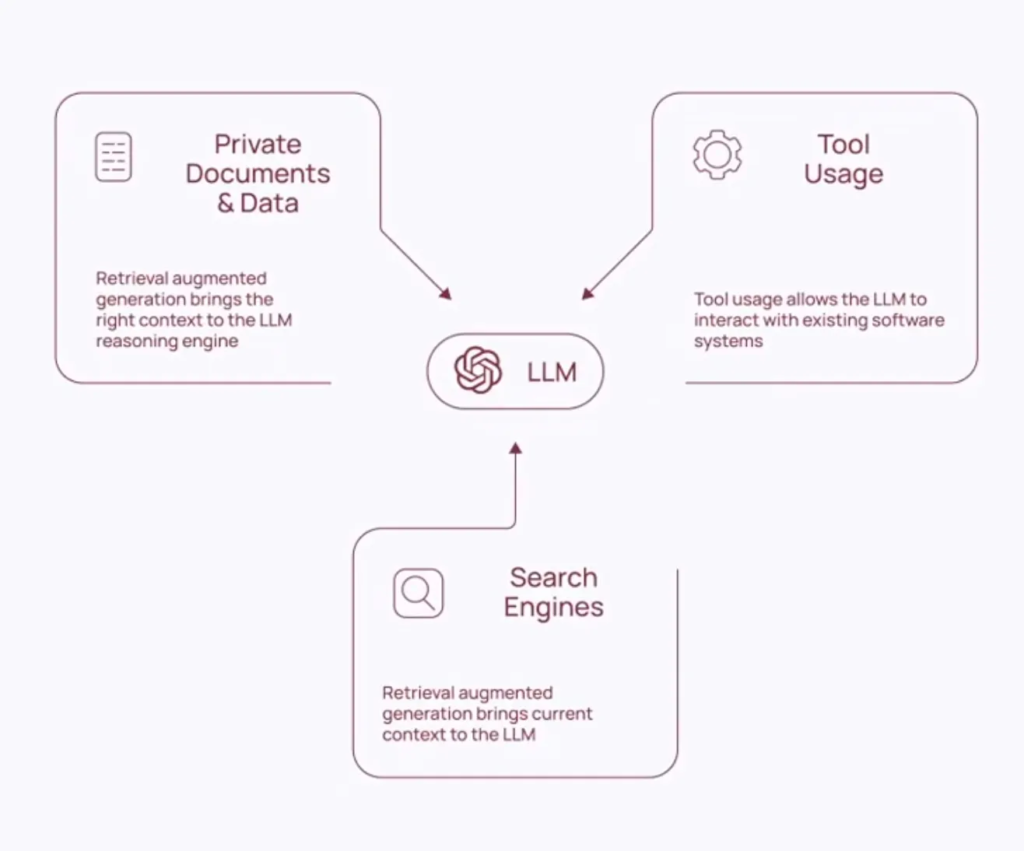
LangChain is particularly useful for creating chained workflows involving multiple LLM calls or retrieval-augmented generation tasks. It accelerates the transition from prototyping to production.
LangGraph
LangGraph is an intuitive visual interface for designing, managing, and optimizing workflows involving LLMs. It allows developers to visually map data flow, decision logic, and integration points within their applications. This tool simplifies complex workflow design, ensuring clear and efficient connections between components.
LangGraph Platform
The LangGraph Platform offers a fully integrated environment for building, deploying, and monitoring applications powered by language models. It combines workflow design tools, robust execution engines, and advanced analytics to provide seamless management throughout the application lifecycle. This platform is ideal for managing large-scale, enterprise-level LLM solutions.
LangSmith
LangSmith is a specialized debugging and evaluation platform for LLM applications. It provides detailed insights into application workflows, enabling developers to analyze performance, trace issues, and refine behavior for improved accuracy and reliability. With features for testing, workflow analysis, and performance optimization, LangSmith is an essential tool for debugging and monitoring AI applications.
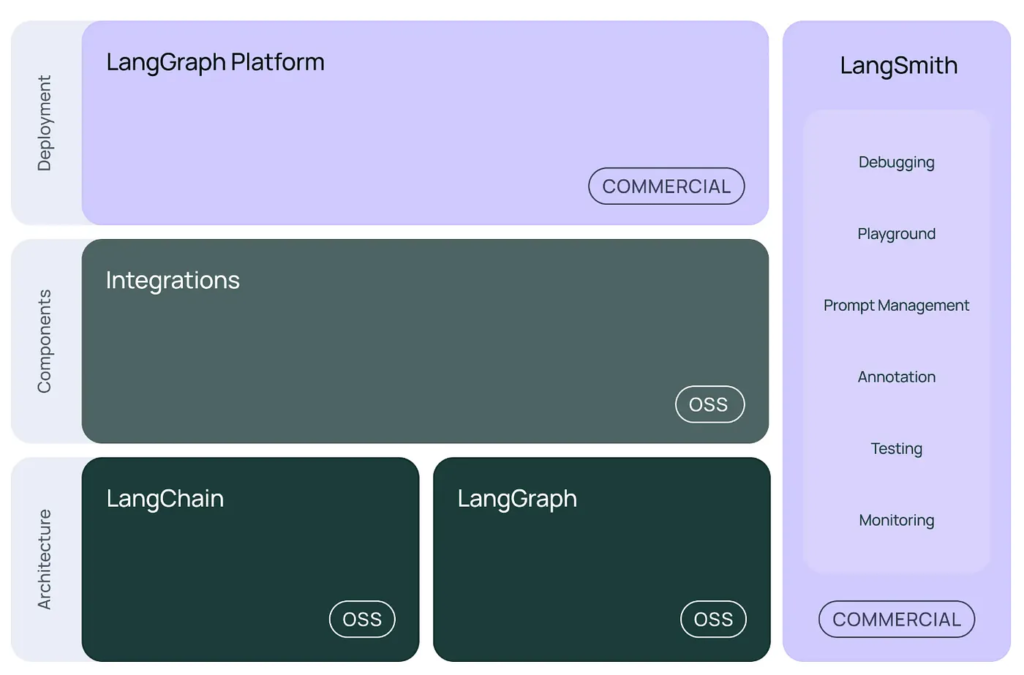
Reference Architecture
LangChain’s suite of tools can be utilised individually or combined for greater impact, supporting you in building, deploying, and managing your LLM applications.
Setup
Install JupyterLab
To set up your environment, start by installing JupyterLab. You can follow the official installation guide or execute the commands below to set up a virtual environment:
# change virtual environment name
$ python3 -m venv langchain
$ source langchain/bin/activate
$ python3 -m pip install jupyterlab
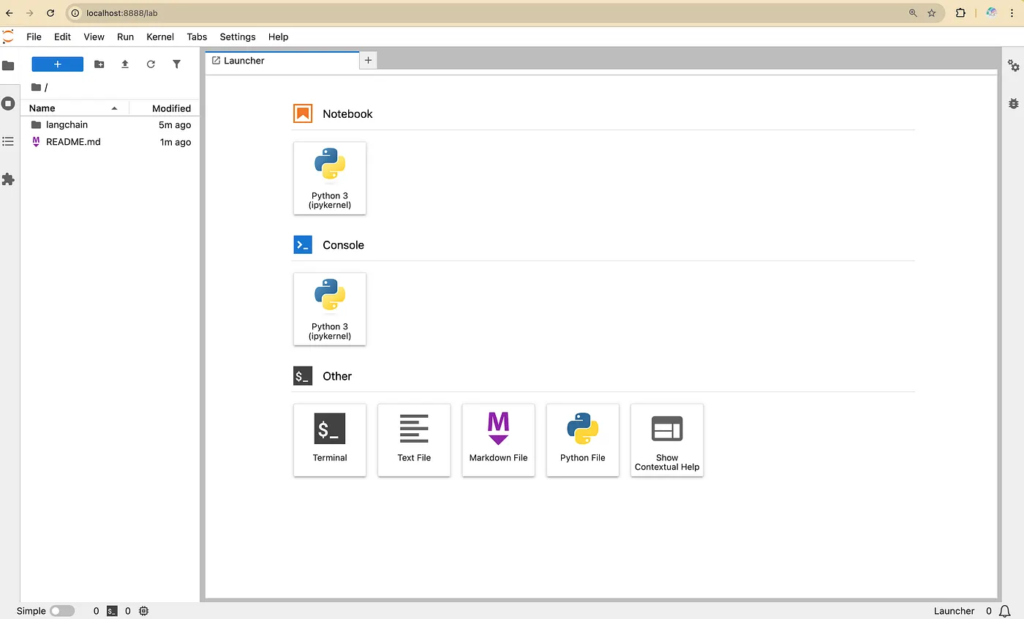
Once installed, launch JupyterLab using the following command:
jupyter labThis command will open the JupyterLab interface in a new browser tab.
Install LangChain
To install LangChain, open a new terminal and execute the following commands:
$ source langchain/bin/activate
$ python3 -m pip install langchain
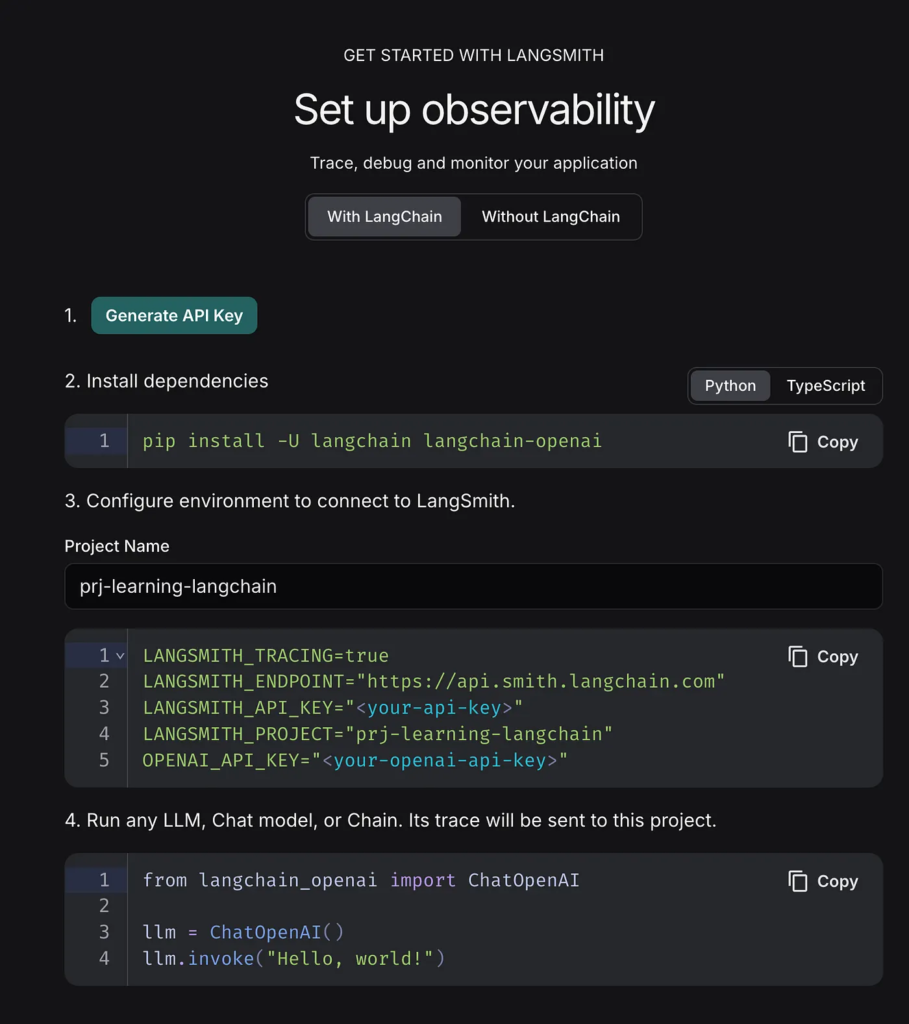
Generate LangSmith API Key (Optional)
LangSmith is a powerful debugging and tracing tool for LangChain applications. It helps you inspect workflows with multiple steps and multiple LLM invocations, providing detailed insights into their operations.
To get started:
- Sign up on the LangSmith platform.
- Generate an API key to enable tracing, debugging, and monitoring of your applications.
- Save the API key for future use by your LangChain projects.
First Basic Program
Set Environment Variables
Export the following environment variables to configure LangSmith for tracing and debugging:
export LANGSMITH_TRACING=true
export LANGSMITH_ENDPOINT="https://api.smith.langchain.com"
export LANGSMITH_API_KEY="<Your LangSmith Project API Key"
export LANGSMITH_PROJECT="prj-learning-langchain"
Install LangChain AWS Bedrock Integration
Activate your virtual environment and install the langchain-aws package for AWS Bedrock integration:
$ source langchain/bin/activate
$ python3 -m pip install -qU langchain-aws
AWS Bedrock Integration
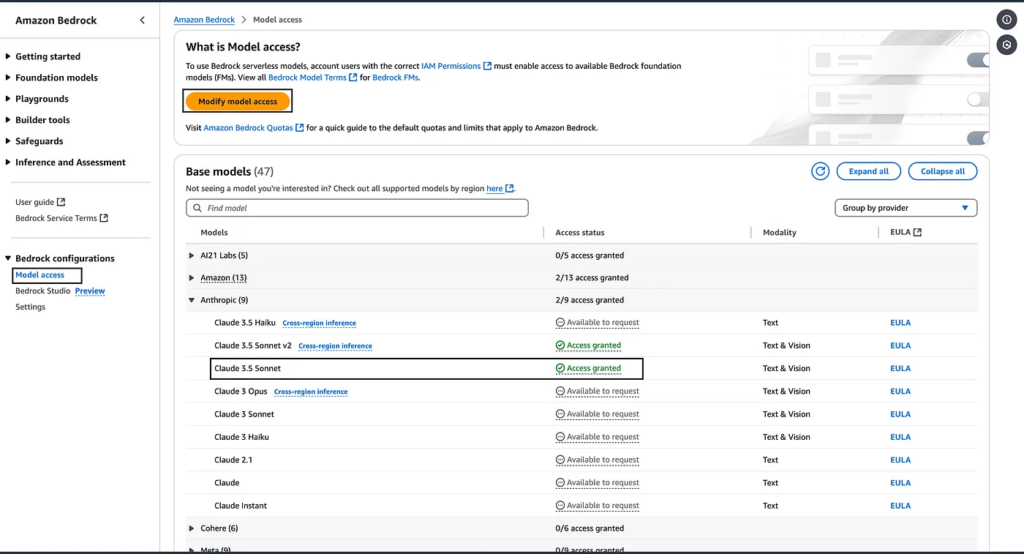
- Enable Model Access:
Log in to the AWS Management Console and ensure you have access to the Claude 3.5 Sonnet base model provided by Anthropic.
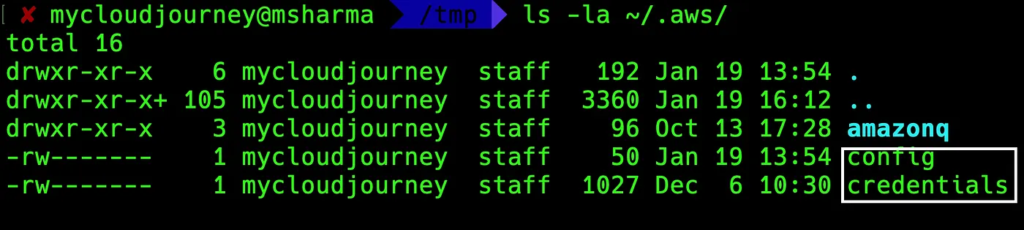
2. Configure AWS Credentials:
Ensure your local machine is configured with the necessary AWS credentials (ACCESS_KEY and SECRET_KEY).
Run Your First LangChain Program
Option 1: Using a Python Script
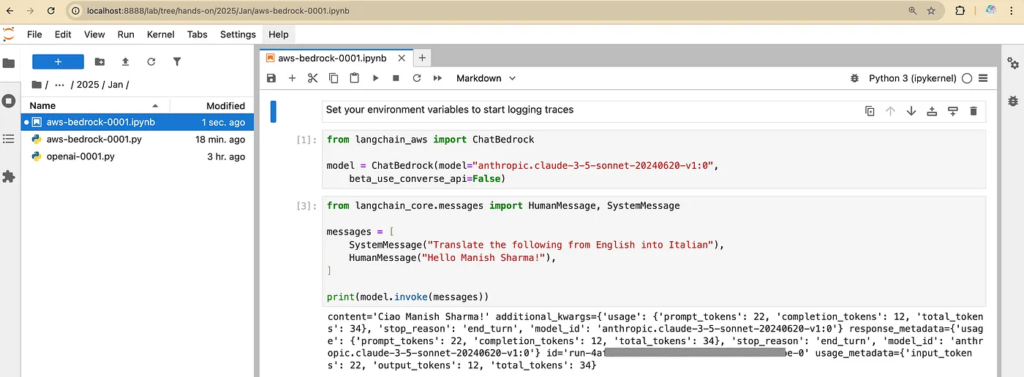
- Create a Python script named aws_bedrock_0001.py and paste the following code:
from langchain_aws import ChatBedrock

model = ChatBedrock(model="anthropic.claude-3-5-sonnet-20240620-v1:0",
    beta_use_converse_api=False)

from langchain_core.messages import HumanMessage, SystemMessage

messages = [
    SystemMessage("Translate the following from English into Italian"),
    HumanMessage("Hello Manish Sharma!"),
]

print(model.invoke(messages))
2. Execute the script:
$ python3 aws-bedrock-0001.py
Option 2: Using a Jupyter Notebook
Alternatively, you can run the same code in a Jupyter notebook with an .ipynb extension for interactive execution.
View Traces in LangSmith
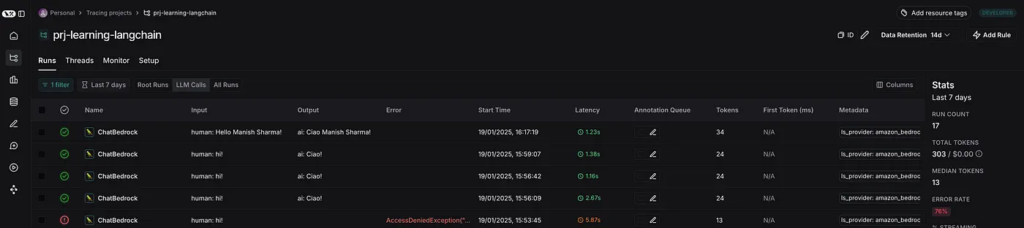
Log in to the LangSmith platform to inspect the traces of your LangChain application.
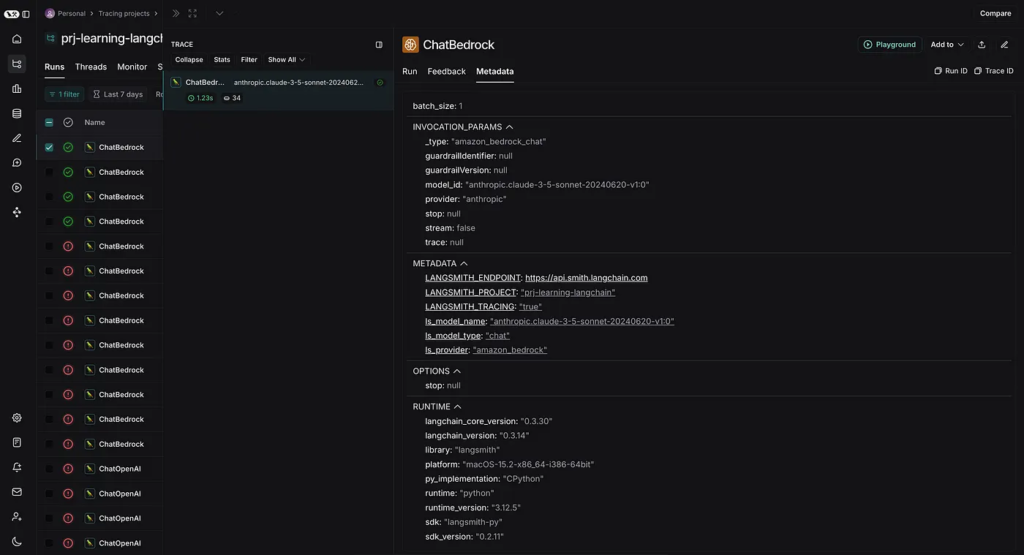
By selecting a trace, you can view detailed metadata about the LLM invocation calls.
LangSmith offers numerous features to monitor and optimize your workflows effectively.
Concepts
Chat Model
In LangChain, a chat model refers to a type of large language model (LLM) specifically optimized for conversational tasks. Chat models are designed to process and respond to multi-turn dialogue inputs, enabling more context-aware and interactive responses compared to standard text generation models.
Key Features of Chat Models in LangChain
- Message Handling:
Chat models in LangChain handle inputs and outputs as structured messages. These messages are categorized into types such as:
- HumanMessage: Represents user input.
- AIMessage: Represents responses generated by the AI.
- SystemMessage: Sets the context or rules for the conversation (e.g., “You are a helpful assistant”).
- ChatMessage: A general message that allows specifying roles like “user” or “assistant.”
2. Multi-Turn Context:
Chat models maintain conversation history, allowing them to generate responses that consider prior exchanges in the dialogue. This feature is essential for dynamic interactions.
3. Streamlined Integration:
LangChain provides a unified interface to interact with various chat models, including OpenAI’s GPT models, Anthropic’s Claude, and others. This enables seamless integration into applications.
4. Flexibility in Workflow Design:
Chat models can be used within chains and agents to perform tasks like question answering, summarization, translation, or complex decision-making processes.
Example Usage
The “First Basic Program” section above provides an example related to ChatModel.
Applications of Chat Models in LangChain
- Customer Support: Interactive bots for handling user queries.
- Educational Tools: Adaptive learning systems that guide students.
- Content Generation: Assisting with creative writing or editing tasks.
- AI Agents: Building tools that combine conversational capabilities with decision-making workflows.

