
Introduction
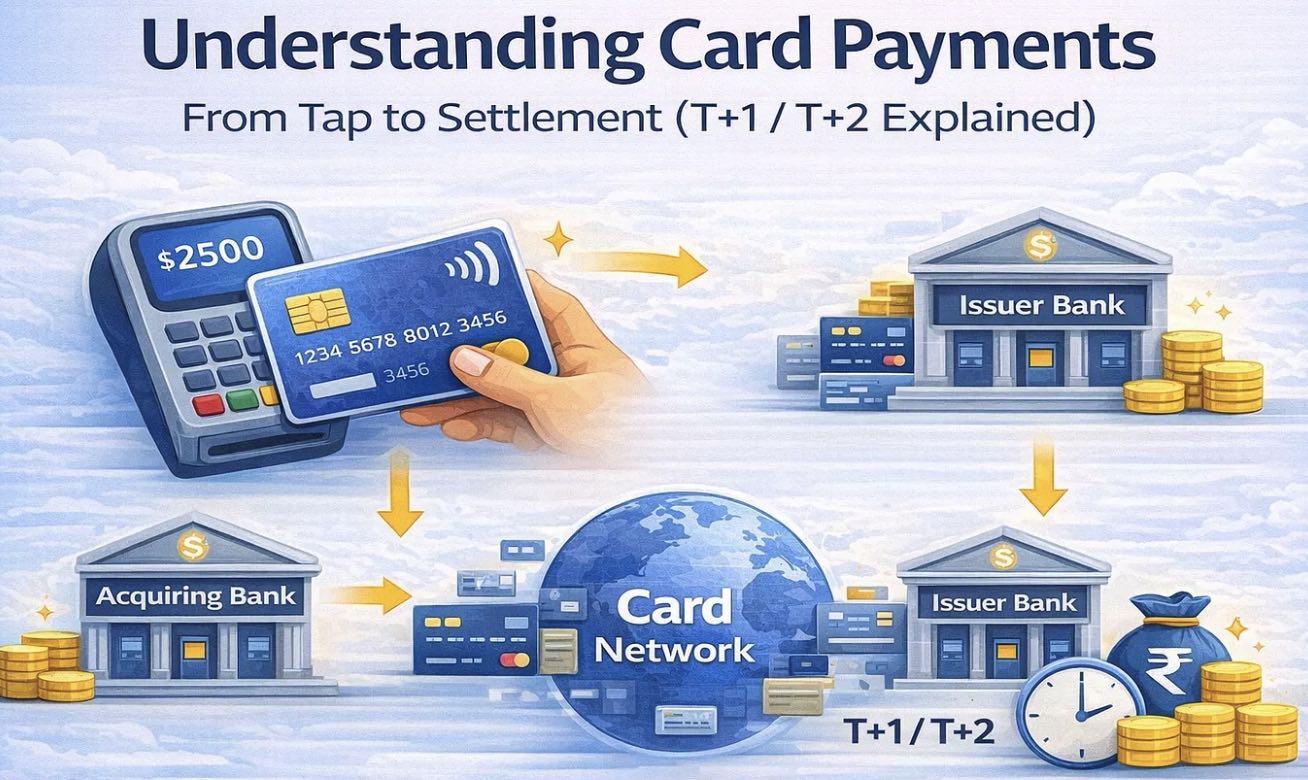
Digital payments feel instant. You tap your card or phone, see “Payment Successful,” and walk away. But behind the scenes, a card payment is a multi-step financial workflow involving banks, networks, security checks, and settlement cycles. This is why merchants usually receive money on T+1 or T+2 days, not instantly.
This article explains the end-to-end card payment flow using a simple real-world example, including who the issuer and acquirer are, how data flows, and why settlement takes time.
Context: A Simple Example
- Customer Card: ICICI Bank Credit Card
- Issuer Bank: ICICI Bank
- Merchant: Local retail store
- Acquirer Bank: HDFC Bank (The merchant’s bank)
- Card Network: Visa
- Payment Mode: Tap to Pay (Physical or Virtual Card)
Step 1: The Tap (Customer → Merchant)
You tap your contactless card or mobile wallet (Apple Pay, Google Pay, etc.) on a payment terminal.
What happens technically:
- The terminal uses NFC (Near Field Communication).
- The card or phone does not share your actual card number.
- Instead, it sends:
- A tokenized card number
- Expiry date
- A one-time cryptogram (unique for this transaction)
This makes replay attacks and data theft nearly impossible.
Step 2: Authorization Request (Merchant → Acquirer)
The merchant’s POS system creates an authorization request and sends it to the acquiring bank (The merchant’s bank).
Example (Simplified Authorization Request Payload)
{
  "transactionAmount": 50.00,
  "currency": "USD",
  "merchantId": "M123456",
  "terminalId": "T987654",
  "paymentMethod": "CONTACTLESS",
  "tokenizedCard": "4111XXXXXXXX1111",
  "cryptogram": "A1B2C3D4",
  "timestamp": "2026-01-21T10:45:30Z"
}
Step 3: VisaNet Processing (Acquirer → Visa Network)
The acquirer (The merchant’s bank) forwards the request to VisaNet, Visa’s global payment network.
VisaNet performs:
- Token detokenization (secure environment)
2. AI-based fraud analysis
3. Risk scoring using:
- Spending behavior
- Device fingerprint
- Location patterns
- Merchant history
Visa’s ML systems analyze thousands of signals in milliseconds.
Step 4: Issuer Decision (VisaNet → Issuing Bank)
VisaNet sends the request to your card-issuing bank.
The bank checks:
- Available balance or credit limit
- Account status
- Risk score from Visa
- Velocity and anomaly checks
{
  "authorizationResult": "APPROVED",
  "approvalCode": "A76421",
  "riskScore": "LOW",
  "responseTimeMs": 120
}
Step 5: Approval Response (Issuer → Merchant)
The approval travels back:
Issuing Bank → VisaNet → Acquirer → Merchant Terminal
The terminal displays:
“Payment Approved”
All of this typically happens in 300–700 milliseconds.
Step 6: Completion & Settlement (Post-Transaction)
Later (usually end of day):
- Merchant submits batch settlement
- Funds move from issuer to acquirer
- Merchant gets paid (T+1 or T+2)
If you have an ICICI Bank credit card, the roles are as follows in a standard card payment flow:
Issuer
ICICI Bank
- The issuer is the bank that issues the credit card to you.
- ICICI Bank provides the credit limit, generates the physical and virtual card, authorises transactions, and bills you.
Acquirer
The merchant’s bank (Acquiring Bank)
- The acquirer is the bank that provides payment acceptance services to the merchant (POS machine, payment gateway, Tap-to-Pay, etc.).
- For example, if you pay at a store whose POS machine is provided by HDFC Bank, then HDFC Bank is the Acquirer, even though your card is from ICICI.
Example (Simple Flow)
- You → use ICICI Bank credit card (physical or virtual)
- Merchant → has POS / payment gateway from another bank (or even ICICI)
- Merchant’s bank → Acquirer
- Your bank → Issuer (ICICI Bank)
- Card network (Visa / Mastercard / RuPay) → connects issuer and acquirer
Important Note
- If a merchant also uses ICICI Bank’s POS or payment gateway, then ICICI can act as both Issuer and Acquirer in the same transaction.
Why merchants get paid on T+1 / T+2 for card payments.
Merchants receive payments on T+1 or T+2 days because a card transaction is not a single instant transfer; it goes through authorization, clearing, settlement, and reconciliation steps involving multiple parties.
Below is a clear, business-level explanation.
1. What happens at the time of payment (T = Transaction Day)
When you pay using a credit card (physical or virtual):
- The issuer bank (ICICI) only authorizes the transaction.
- Authorization means:
“Yes, the card is valid and credit is available.” - No actual money moves at this stage.
This step takes seconds, which is why the payment feels instant.
2. Clearing & Settlement happen later (T+1 / T+2)
After business hours:
- The merchant’s acquirer bank batches all transactions.
- These are sent to the card network (Visa / Mastercard / RuPay).
- The network routes them to the issuer bank (ICICI).
- ICICI confirms the final amount and prepares funds.
- Money flows back through the network to the acquirer.
- The acquirer credits the merchant account.
This multi-party process typically completes in 1–2 working days.
3. Risk & Dispute Management
The delay allows time for:
- Fraud checks
- Chargeback risk assessment
- Reversals or failed transactions
- Compliance checks
This protects both banks and merchants.
4. Merchant Discount Rate (MDR) Calculation
Before paying the merchant:
- Acquirer deducts MDR (fees for network, issuer, and acquirer).
- Final net amount is credited after settlement.
If this article helped you, I’d appreciate a clap. Follow the page to stay updated with upcoming posts.
